Planned maintenance
Planned maintenance software for building services contractors
Keep every contract visit on time without a spreadsheet: contracts book their own visits, every site’s equipment has its interval and history, and the contract invoices itself.
In Field Suite
What it does, screen by screen
Every screen below is from Field Suite as it works today.
-
1
Contracts that book their own visits
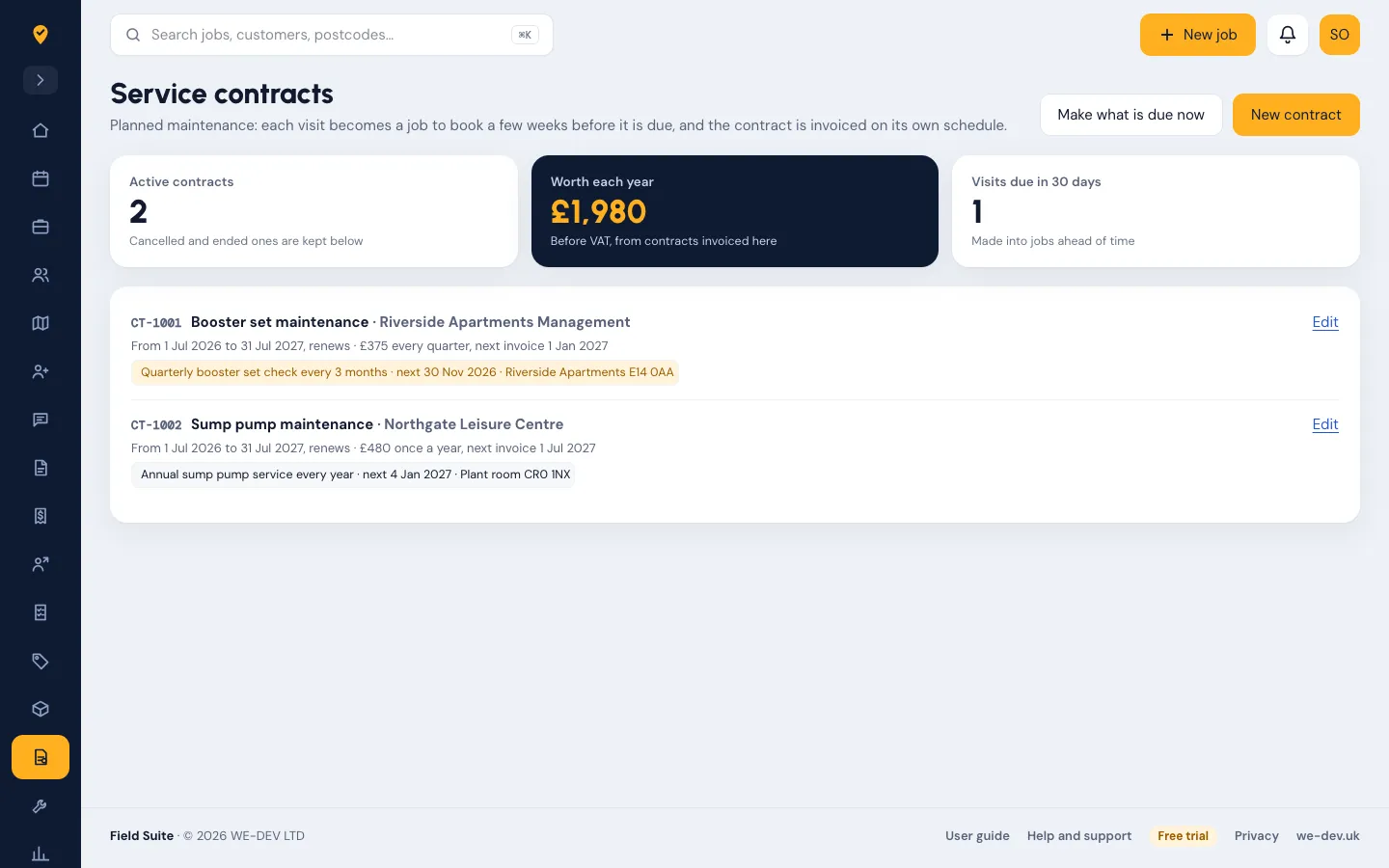
Each visit on a contract becomes a job to book a few weeks before it is due, with the right form attached. The customer can be told by email, and the contract is invoiced monthly, quarterly or yearly on its own.
-
2
Every piece of equipment, with its interval
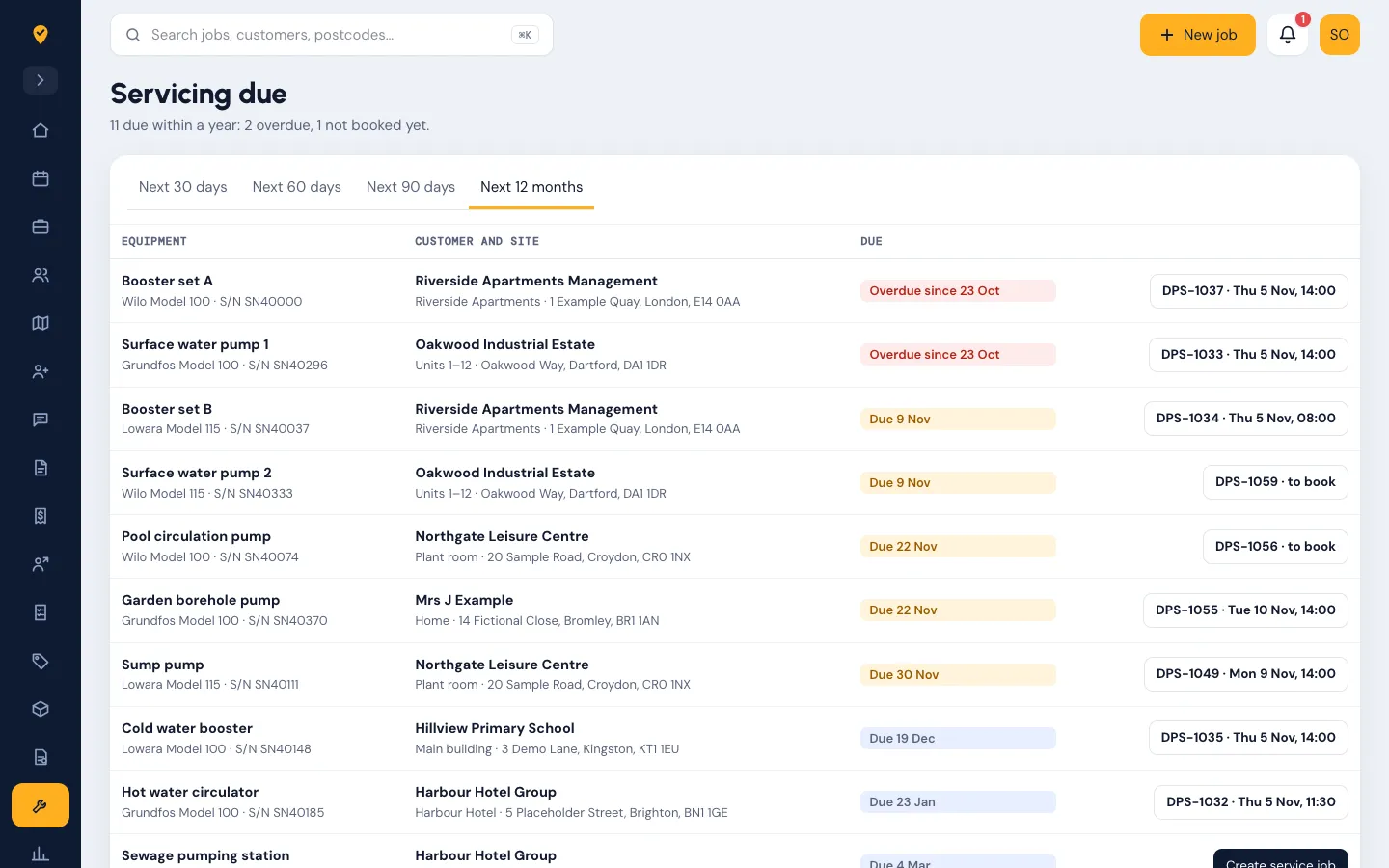
Booster sets, pumps, boilers, alarms: make, model, serial number and how often each needs a service. See what is due in the next 30 days to 12 months and book it from the list.
-
3
Done on the phone, signed on site
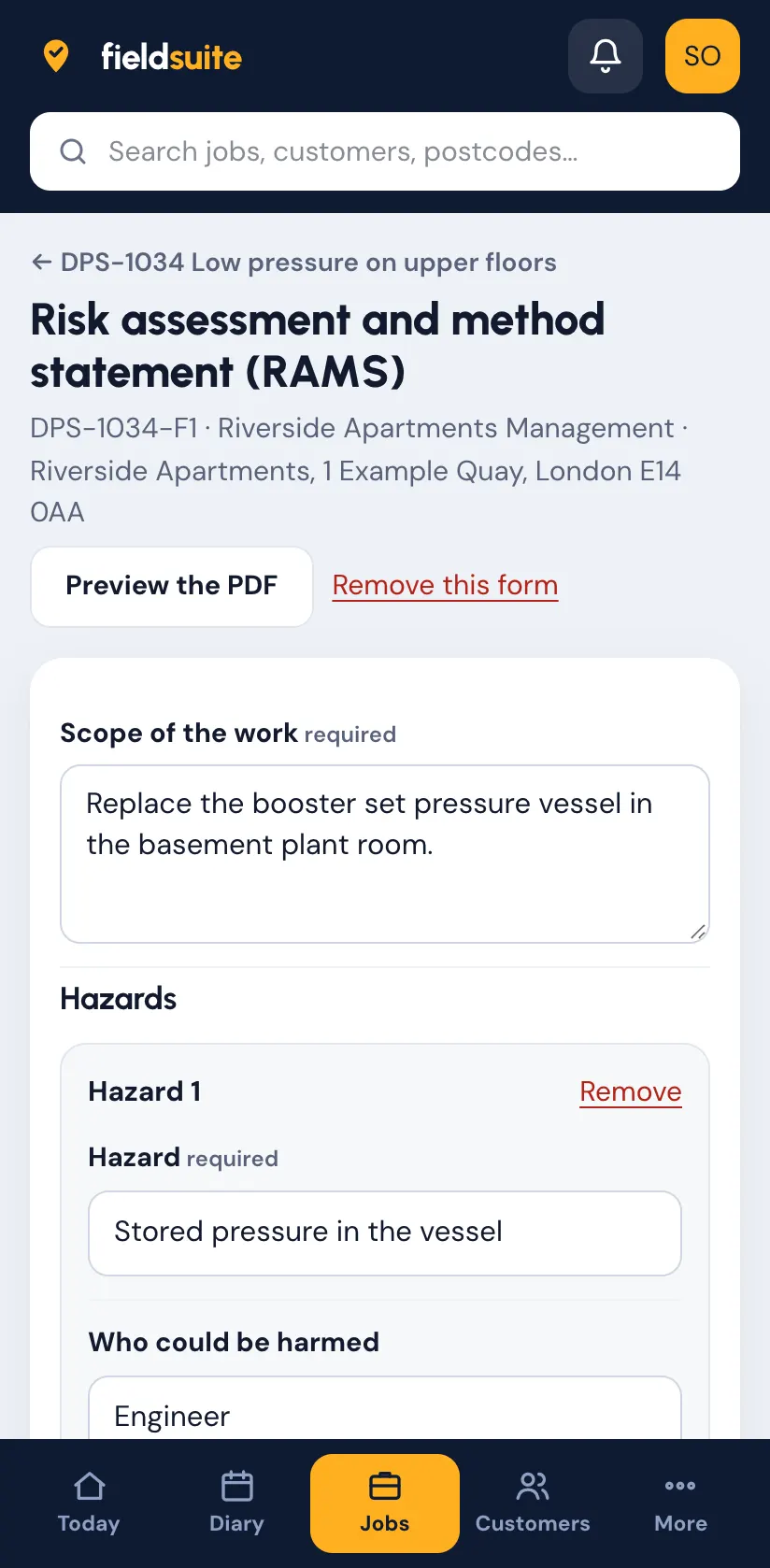
The engineer fills in the checklist or certificate, records what they found, and the customer signs. The job sheet goes out by email when the job is signed off.
-
4
Faults found become quotes
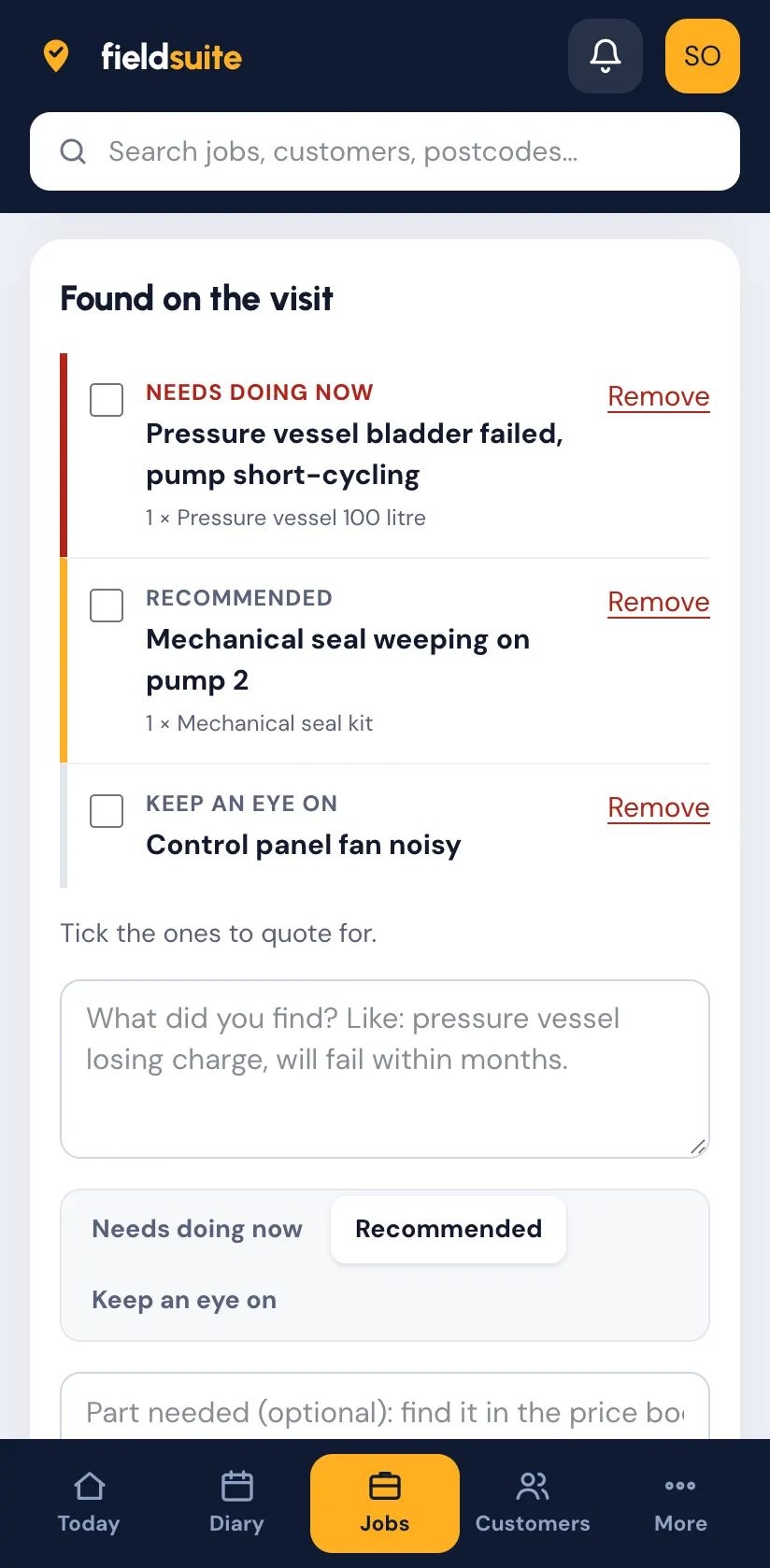
What the engineer finds is marked by how urgent it is and turned into a quote with options the customer accepts online (with Pro, or the Quotes and invoices add-on).
Contracts and servicing are in Pro, or the Assets, servicing and contracts add-on on Starter. More in the user guide. Prices on the pricing page.
Guides
Planned maintenance: our guides
Written for owners and office teams, checked against the official sources. All guides on this topic.
- Guide PPM schedule for commercial plumbing and heating: what to include What a PPM schedule for commercial plumbing and heating should include: assets, tasks, frequencies and their sources (HSG274, PSSR, gas), roles, records.
- Template PPM schedule template for building services Free PPM schedule template for building services: plant, tasks, frequency in months, next due, source and record, with HSG274 water rows. Opens in Excel.
- Guide Pressure systems in plant rooms: what PSSR 2000 asks of maintenance firms What PSSR 2000 asks in a plant room: which systems are in scope, written schemes, examinations, the 250 bar-litre rule and the maintenance firm's duties.
- Tool F-gas leak check calculator: CO2 equivalent and how often to check Work out tonnes CO2e from charge and GWP, and the GB leak check interval: 12, 6 or 3 months at 5, 50 and 500 tonnes, doubled with leak detection.
Try it free with your own jobs
14 days free with every feature and up to 10 users. No card details and no contract.