Subcontractors and CIS
Send work to subcontractors and get CIS right
Your subcontractors need no licence: they get a private link for each job. Their documents are tracked, and CIS is worked out for you every tax month.
In Field Suite
What it does, screen by screen
Every screen below is from Field Suite as it works today.
-
1
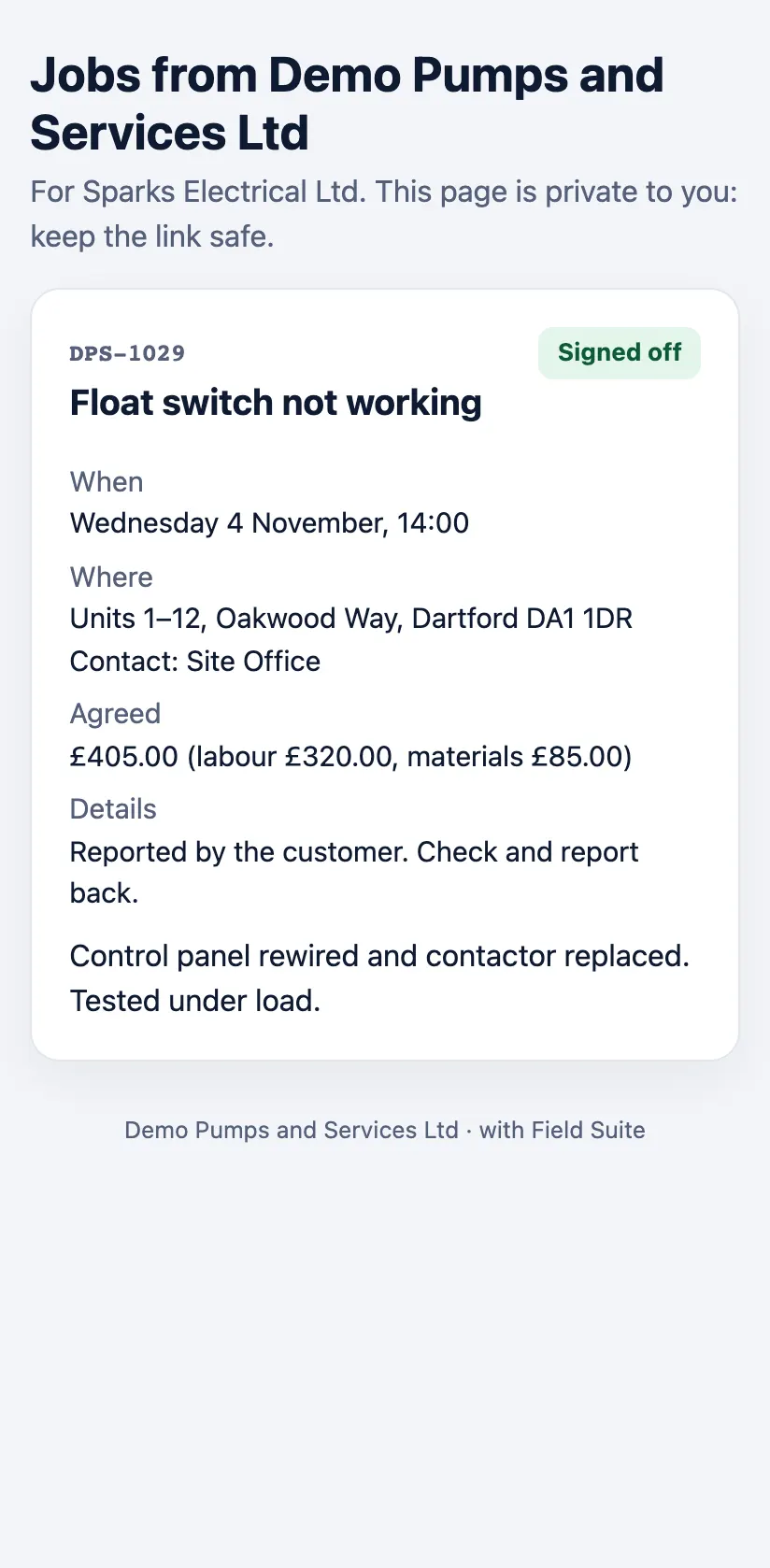
A private link for each job
The subcontractor sees the job, accepts or turns it down, and when it is done says what they did, adds photos and their invoice number. You are told at each step.
-
2
Documents that warn before they expire
Insurance, Gas Safe, NICEIC or NAPIT, CSCS and F-gas cards with expiry dates: you are warned 30 days and 7 days before, and on the day.

-
3
CIS worked out on labour
Gross, 20% or 30%, on the labour only, with materials kept apart. Tax months run from the 6th to the 5th; each subcontractor gets a monthly statement, and you get the month’s figures for your CIS300 return.
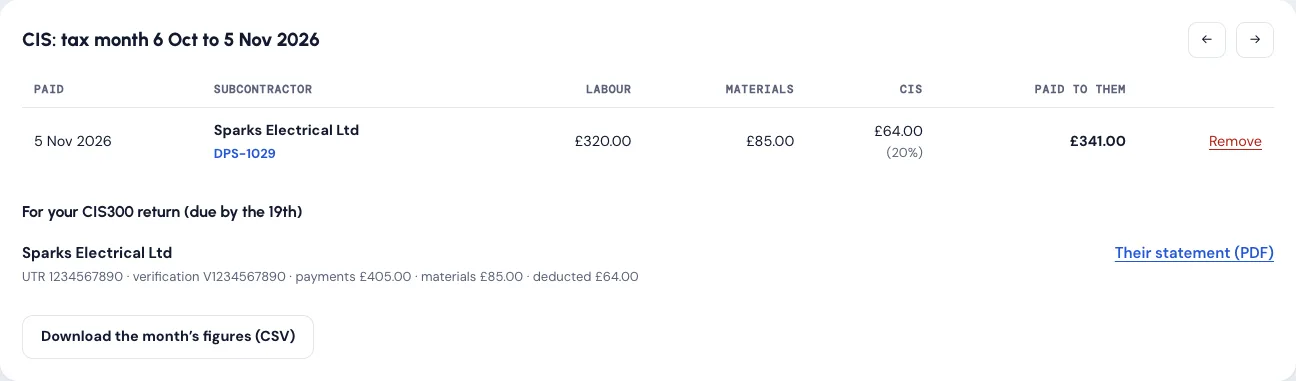
Field Suite works out the figures; you still file your CIS300 return with HMRC. More in the user guide. Prices on the pricing page.
Guides
Subcontractors and CIS: our guides
Written for owners and office teams, checked against the official sources. All guides on this topic.
- Tool CIS calculator: work out the deduction, tax month and due dates Work out the CIS deduction on a subcontractor invoice: VAT and materials out, 20%, 30% or 0%, plus the tax month and the 19th and 22nd deadlines.
- Guide CIS for building services contractors: deductions, statements and the 19th Which heating, plumbing and water services work is inside CIS, how to work out the deduction, the 19th and 22nd deadlines, reverse charge VAT and records.
- Guide Subcontractor documents to check: insurance, Gas Safe, CSCS and F-gas The documents to check before a building services subcontractor starts: Gas Safe, F-gas, employers' liability, CSCS and CIS, and when each expires.
- Guide How to verify a subcontractor for CIS, step by step Verify a CIS subcontractor with HMRC step by step: when you must, the details needed, 0%, 20% or 30% results, verification numbers and what to record.
Try it free with your own jobs
14 days free with every feature and up to 10 users. No card details and no contract.